


The Location Weather Shortcode Block allows you to easily embed pre-configured weather views created in the Location Weather plugin using a shortcode. This is useful for reusing complex weather setups or integrating them into areas where blocks might not be directly supported.
Moreover, you can use the new Saved Template as reusable weather blocks, making it easy to use anywhere on your website or popular page builders.
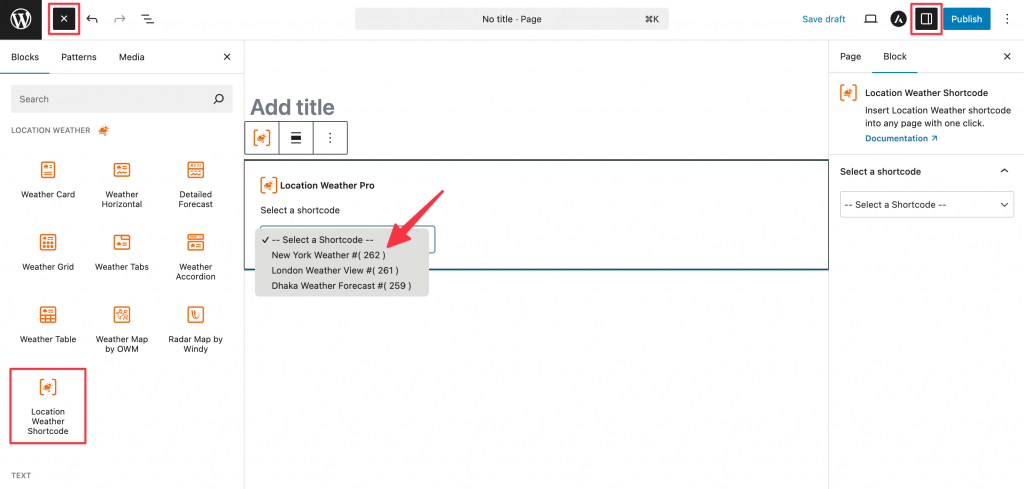
Using the Location Weather Shortcode Block
- Go to any WordPress page or post you’re editing.
- Click the ‘+’ button to add a new block.
- Search for “Location Weather Shortcode” or find it under “LOCATION WEATHER.”
- Click it to add it to your page.
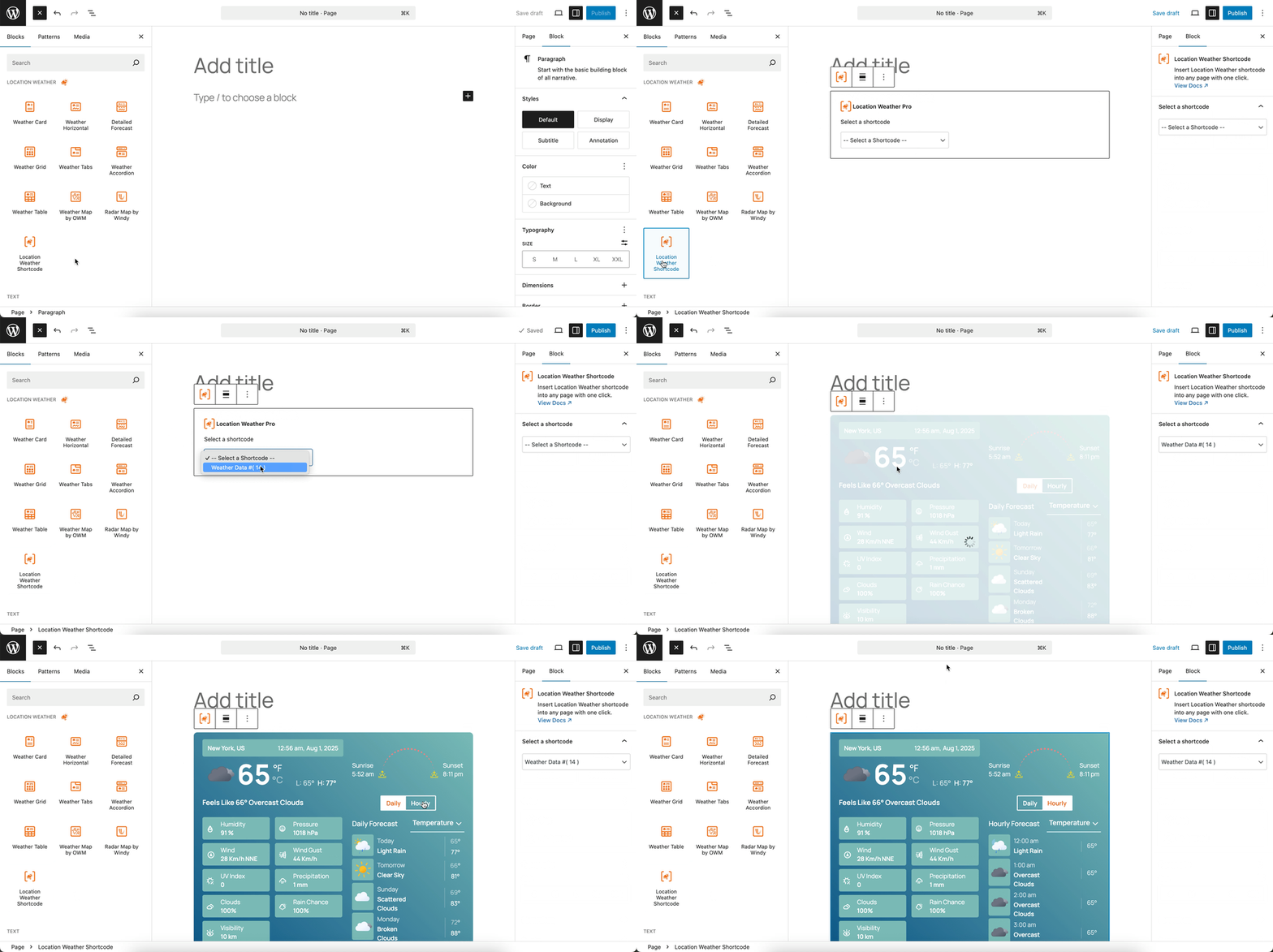
You can instantly see the live Preview of your customization. Once you’re happy with the design, click Publish or Update.