


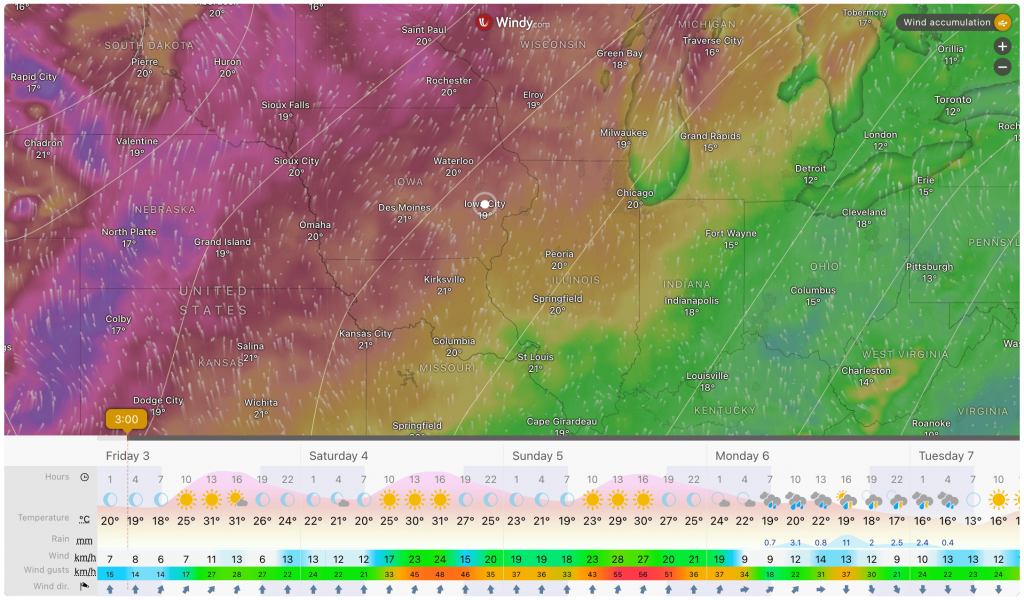
The Radar Map by Windy Block lets you display the Animated Windy Radar Map with real-time wind flow, storm tracking, and other weather layers. This block is ideal for visualizing dynamic weather patterns directly on your website.
Explore Ready Windy Radar Map Patterns →
Radar Map by Windy – Key Features
- Provider-Specific Map: Unlike other weather map blocks, this one is dedicated to the Windy map provider, ensuring a consistent and reliable data source for wind and radar information.
- Weather Radar and Data Display: This block is designed to display a Windy radar map, showing animated real-time wind flow and storm tracking.
Using the Radar Map by Windy
- Go to any WordPress page or post you’re editing.
- Click the ‘+’ button to add a new block.
- Search for “Radar Map by Windy” or find it under “LOCATION WEATHER.”
- Click it to add it to your page.
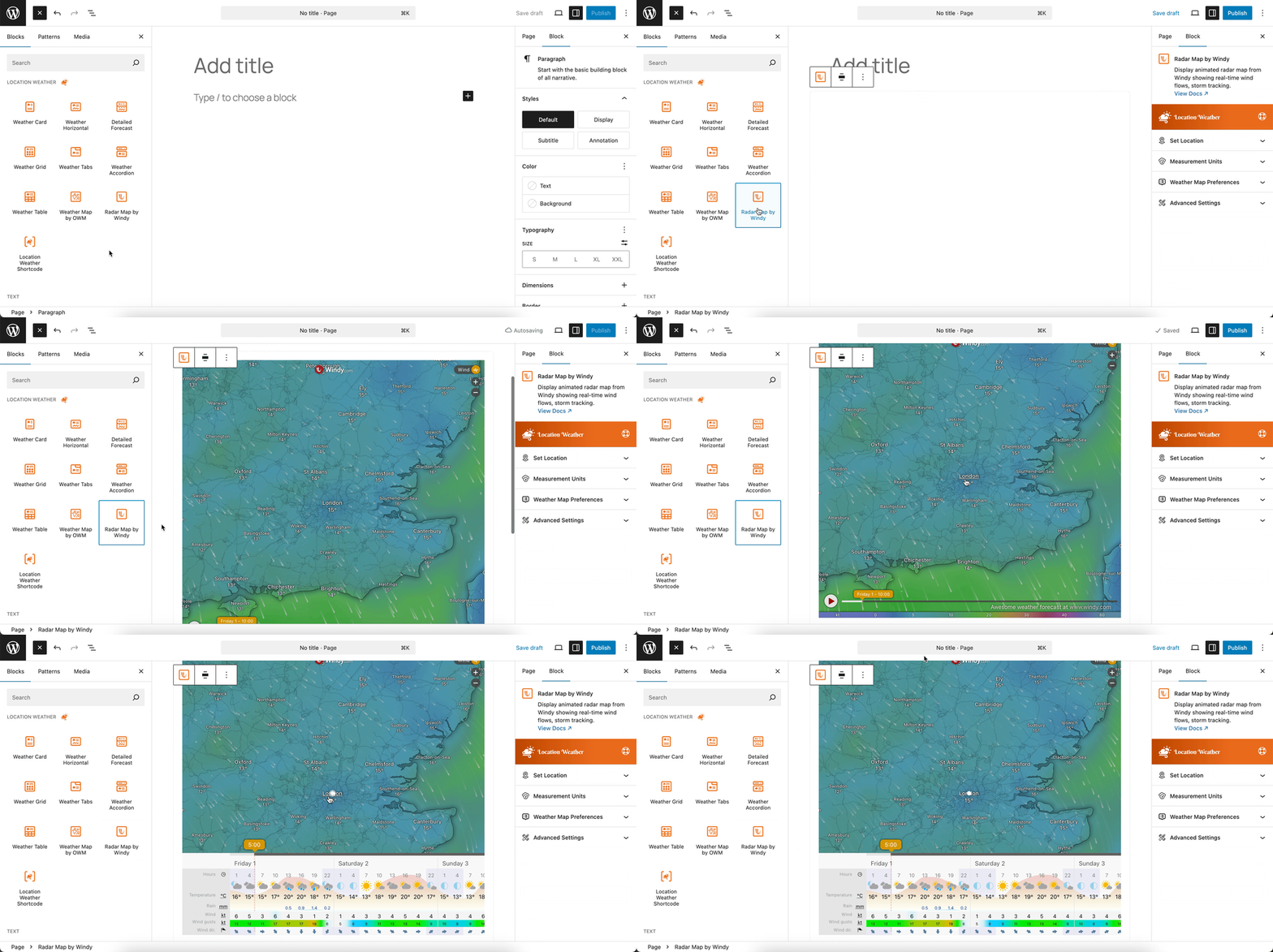
You can instantly see the live Preview of your customization. Once you’re happy with the design, click Publish or Update.
Let us explore the Radar Map by Windy Block
Set Location Settings
This section allows you to define the geographic location for which the weather information will be displayed. For more details, visit this link.
Measurement Units Settings
This section allows you to customize the units used to display weather data in the Location Weather block. You can choose the standard units that best suit your target audience and location. For more details, visit this link.
Weather Map Preferences
This block section is designed for configuring how weather information is displayed on a map. It allows you to customize the data source, visual style, and interactive behavior of the weather map. For more details, visit this link.
Advanced Settings
This section allows you to control the visibility of the block across different device types. You can choose to show or hide the block on desktops, tablets, or mobile devices to optimize the user experience for each screen size. For more details, visit this link.