


A WordPress Pattern lets you save and reuse custom block layouts anywhere on your website, helping you create pages faster and maintain a consistent design.
In this guide, you’ll learn how to create Weather Blocks as reusable WordPress Patterns and use them across your website. To get started, install and activate the Location Weather plugin.
Follow the 3 simple steps below:
- Step 1: Create a Weather Widget using Weather Blocks.
- Step 2: Save the Weather Template as a WordPress Pattern.
- Step 3: Reuse the Weather Pattern Anywhere on Your Website.
Step 1: Create a Weather Widget using Weather Blocks
To create your first weather widget, follow the steps as follows, or read this guide.
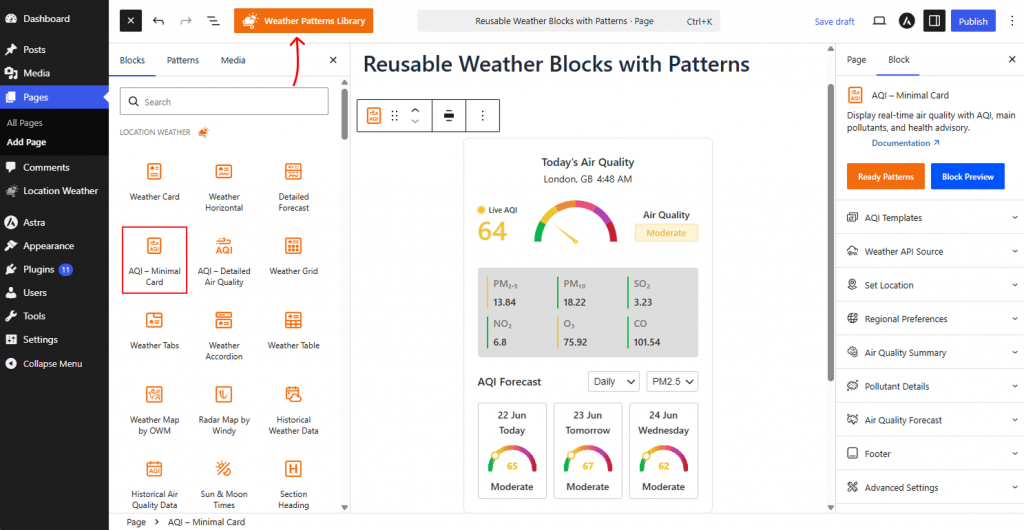
- Open the page or post where you want to display weather information.
- Click the (+) Block Inserter and locate the Location Weather blocks.
- Insert your preferred weather blocks, such as AQI, Detailed Forecast, or Historical Weather Data.
- Configure the location, forecast settings, layout, and styling options as needed.
- Once your weather section is ready, proceed to save it as a reusable pattern.
Step 2: Save the Weather Template as a WordPress Pattern
Saving your created weather template in the WordPress Pattern Library is easy.
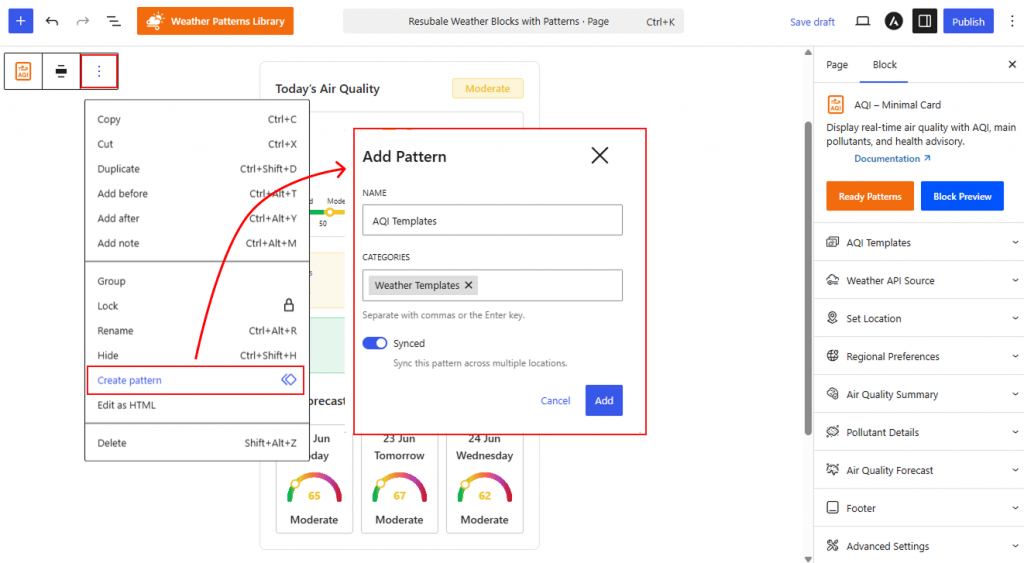
- Select the weather block or weather section.
- Open the block Options (⋮) menu.
- Click Create Pattern.
- Configure the pattern settings:
- Name: Enter a descriptive name.
- Category: Choose a category to organize your patterns.
- Synced: Enable to update all instances automatically, or disable to edit each instance independently.
- Click Add to save the pattern.
Step 3: Reuse the Weather Pattern Anywhere on Your Website
Once created, you can reuse the weather pattern anywhere on your website.
- Open the page or post where you want to use the pattern.
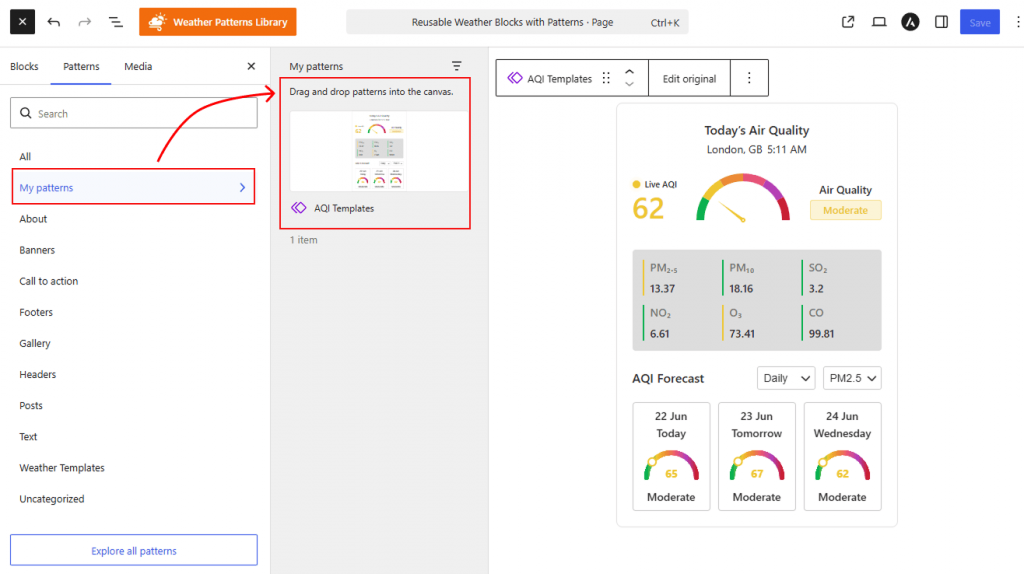
- Click the (+) Block Inserter and switch to the Patterns tab.
- Open My Patterns.
- Select your saved weather pattern and insert it into the editor.
- Make any necessary adjustments and save your changes.
That’s it.
Your weather layout is now ready to use anywhere on your website, allowing you to quickly display current weather conditions, forecasts, and past weather history without rebuilding the same design repeatedly.