


Elementor is one of the most popular WordPress page builders. In this guide, we’ll show you how to display your pre-built Location Weather Saved Templates inside any Elementor page.
By enabling the Elementor Page Builder Addon, you can use a simple shortcode to place your ready-made weather blocks directly inside the Elementor editor. No rebuilding from scratch — just paste the shortcode and your fully styled weather block appears instantly.
You can complete this in 2 Simple Steps:
- Step 1: Install Location Weather and create a Weather Block.
- Step 2: Add the shortcode inside Elementor using Location Weather Saved Templates.
Step 1: Install Location Weather and Create a Weather Block
If you haven’t already, install and activate Location Weather, enter your licence key, and configure at least one weather block. Once it’s saved, it will appear under Location Weather → Saved Templates with its own shortcode.
Step 2: Add the Shortcode inside Elementor Using Location Weather Saved Templates
Follow these 5 steps to place your Saved Template into Elementor.
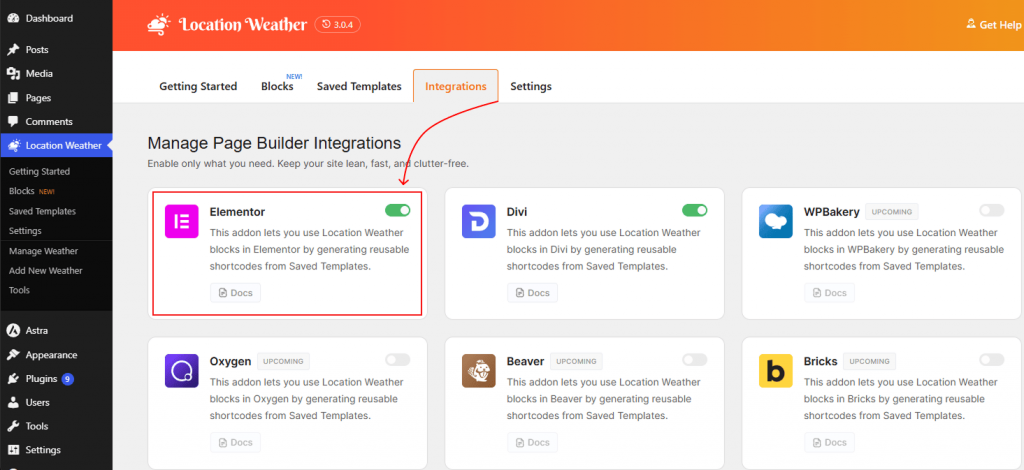
1. Enable Elementor Addon
- Go to your WordPress dashboard, navigate to Location Weather, and click the Integrations tab.
- Scroll to Page Builder Addons and switch the Elementor toggle to ON. Click Save.
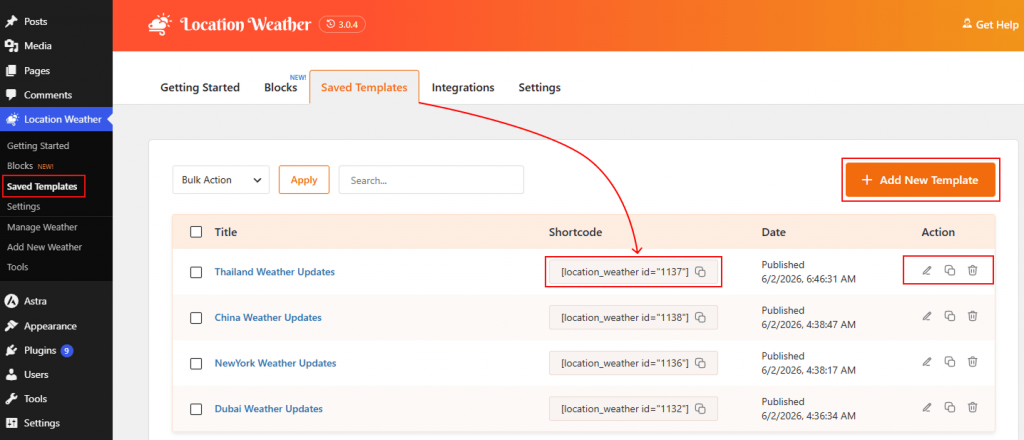
2. Copy the Shortcode
- Go to Location Weather → Saved Templates.
- Find the template you want to use and click the shortcode snippet in the Shortcode column (for example, [sp_lw_template id=”101″]) to copy it.
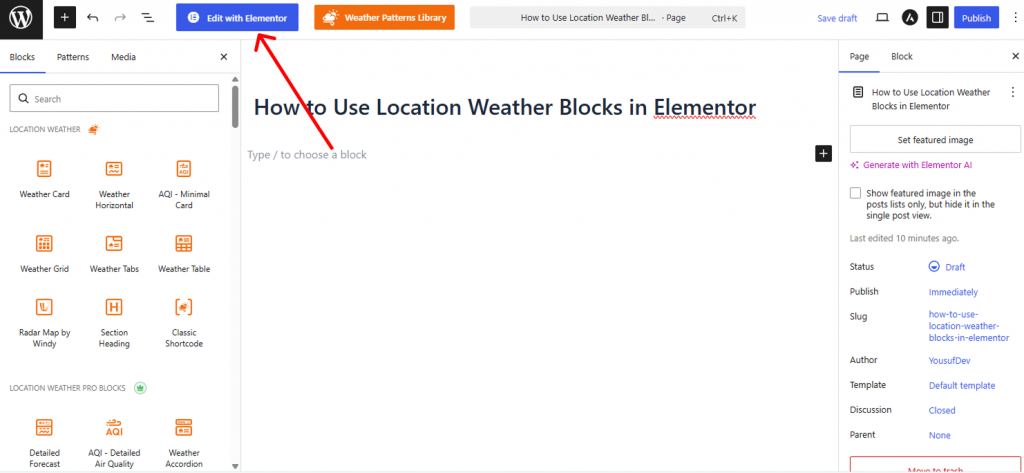
3. Open Elementor
Open the page where you want the weather block to appear and click Edit with Elementor.
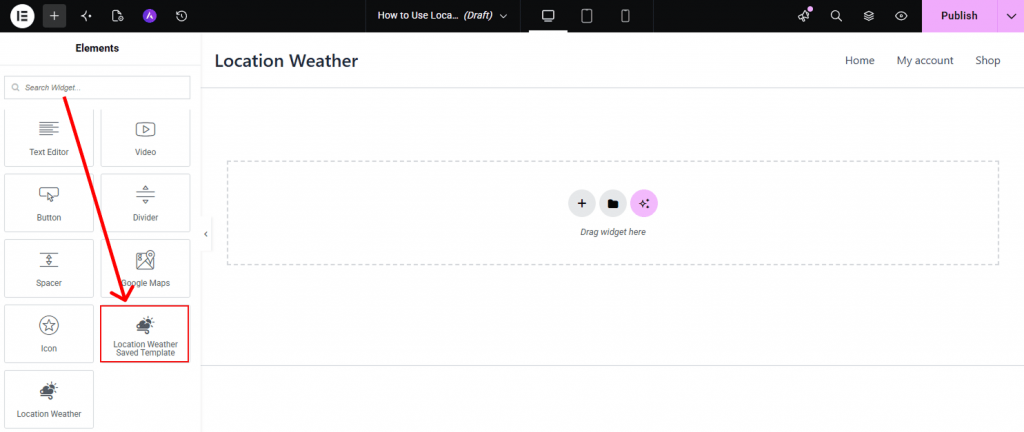
4. Place the Widget
In the left Elementor panel, search for Saved Template and select the preferred weather widget for your page layout.
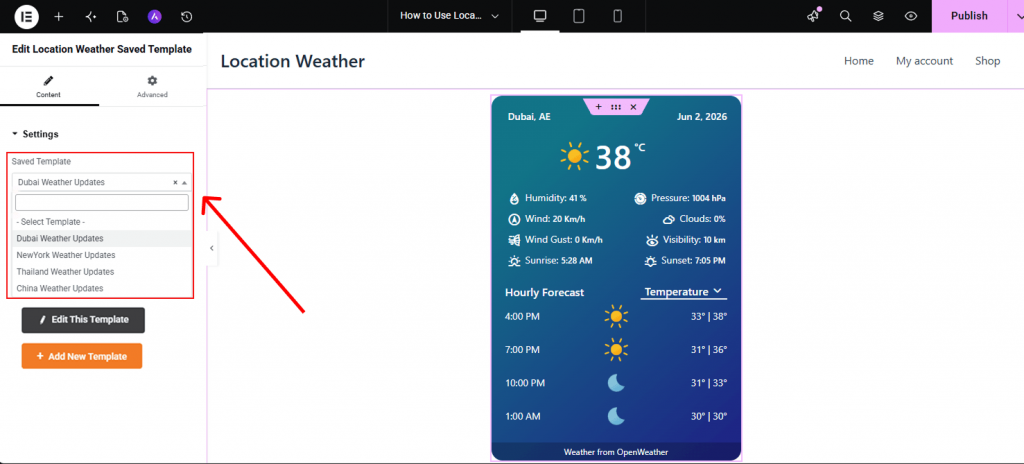
5. Choose and Edit the Saved Template
- After finding the Saved Template widget, in the left settings panel, choose, edit, and add new templates directly from Elementor as needed.
- You can easily add style to make it more attractive in the Elementor canvas.
- Click Publish or Update to save the page.
Tip: After publishing, open the page on the frontend to confirm the weather block is rendering correctly. If it doesn’t appear, check that the Elementor addon is toggled ON under Location Weather → Integrations.