


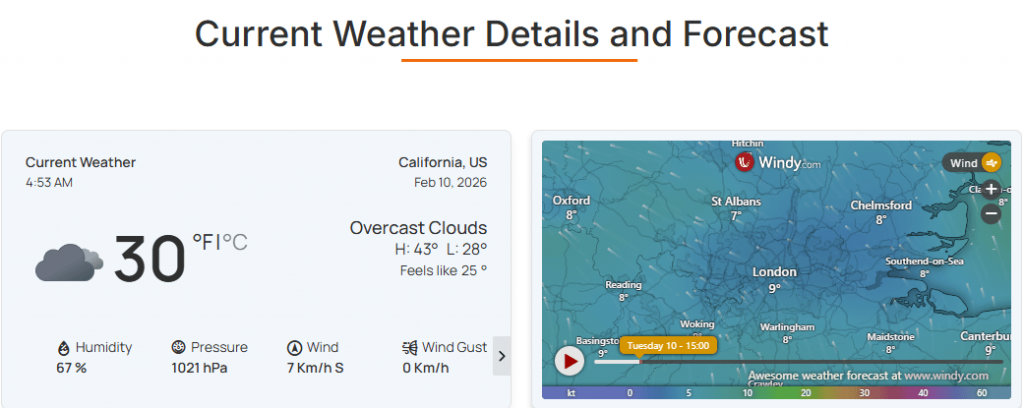
The Section Header block is designed to organize your weather layout with clear, stylish, and customizable Content Heading & Sub Heading. Using this block, you can easily control typography, alignment, and spacing to keep every section clean, consistent, and visually aligned with your site’s design.
Heading: General
From this panel, you can easily configure and style the primary title for any weather data section.
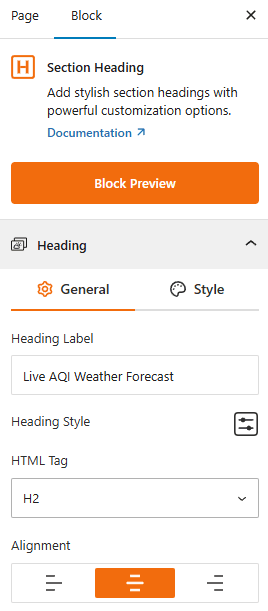
- Heading Label: Enter the text for your main title (e.g., “Live AQI Weather Forecast”).
- Heading Style: Configure the typography settings to adjust font weight, size, and color from here.
- HTML Tag: Select the structural tag (H1–H6) for SEO and hierarchy.
- Alignment: Set the Heading Alignment to the Left, Center, or Right of the section.
Style Heading:
From this panel, you can easily set the heading background type, color, border, and spacing.
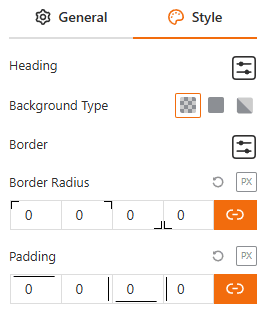
- Background Type: Choose between Transparent, Solid, or Gradient backgrounds.
- Border & Radius: Customize the thickness, color, and corner roundness of the heading container.
- Padding: Adjust internal spacing to position text precisely within the block.
Sub Heading: General
From this panel, you can easily add secondary text to provide extra context or categorization for the weather section.
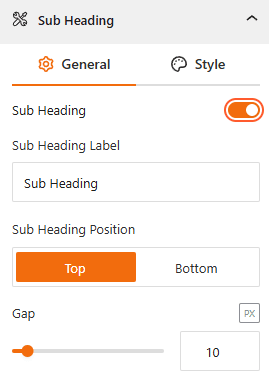
- Show/ Hide Sub Heading: Use this toggle to enable or disable the secondary title for the weather template.
- Sub Heading Label: Enter the text for your sub-heading from here.
- Position: Place the sub-heading at the Top or Bottom of the main heading from here.
- Gap: Set the exact pixel spacing between the main and sub-headings.
Style Sub Heading:
From this panel, you can easily set the subheading typography, background type, color, border, and spacing.
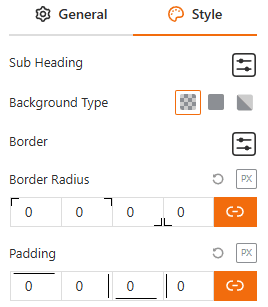
- Typography: Style the sub-text independently from the main heading.
- Container Styling: Choose background type, border style, and set padding settings for the sub-heading area.
Advanced:
From the Advanced Settings panel, you will be able to fine-tune the layout and positioning of your titles to ensure they integrate seamlessly with other weather blocks on your page.
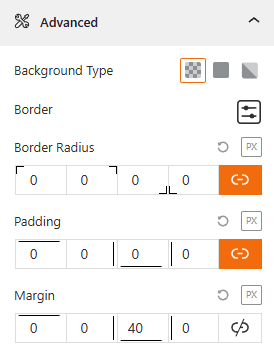
- Background Type: Choose between Transparent, Solid, or Gradient backgrounds.
- Border & Radius: Customize the thickness, color, and corner roundness of the block container.
- Margin: Adjust external space (Top, Bottom, Left, Right) to separate the header from adjacent content.
- Padding: Adjust internal spacing to position text precisely within the block.