



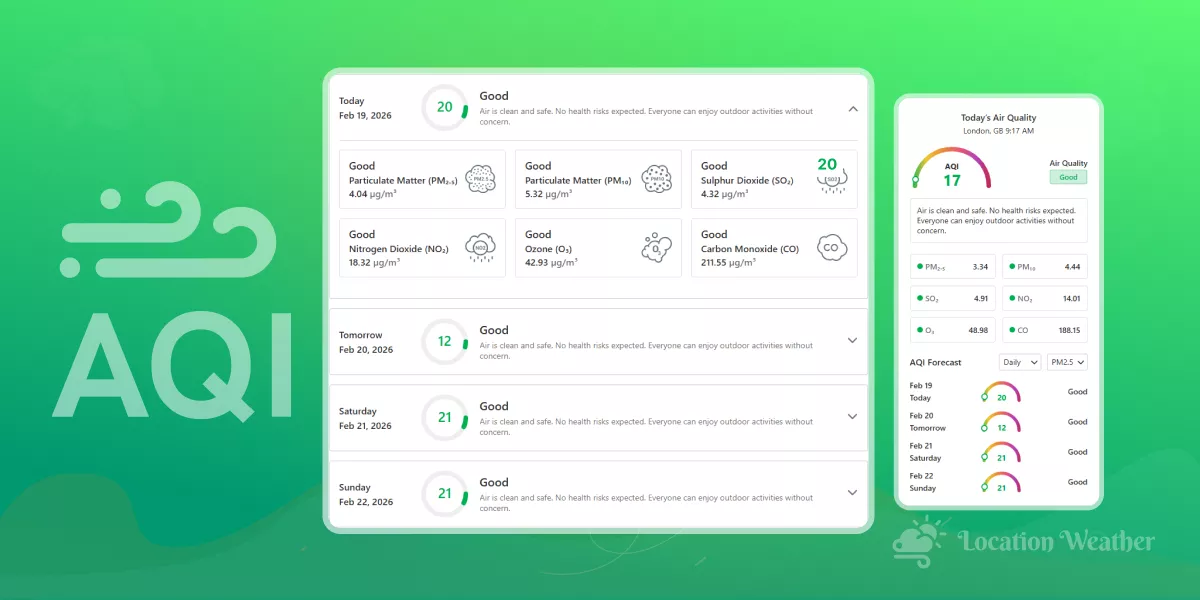
Do you want to show AQI forecasts in WordPress website to help people and your business?
People check AQI (Air Quality Index) forecasts multiple times a day. Visitors to travel blogs, city guides, health sites, schools, real estate pages, and local news portals now expect real-time air quality information right on your website.
Imagine displaying live AQI levels, hourly/daily forecasts, health recommendations, pollutant breakdowns– all in a beautiful, customizable widget that matches your brand perfectly.
In this step-by-step guide, you’ll learn exactly how to:
- Embed professional, real-time AQI data from trusted sources
- Choose from 60+ ready-made, modern weather & air quality patterns
- Fully customize colors, fonts, icons, layout, animations, and location settings– no coding required
- Make your site more useful, trustworthy, engaging, and converting.
Whether you’re running a city portal, health & wellness blog, eco-friendly brand, school website, or travel guide, adding AQI forecasts is one of the smartest ways to increase time-on-page, reduce bounce rates, improve conversion, and give visitors a reason to return daily.
Ready to make your WordPress site the go-to source for clean-air awareness in your niche?
Let’s get your AQI forecast live in minutes!
4 Easy Steps to Show AQI Forecasts in WordPress
Step 1: Install Location Weather
Location Weather stands as WordPress’s #1 weather forecast solution with the highest active installations, reviews, and ratings dominating its category. It is Trusted and featured by industry-leading platforms, including WPBeginner, WP Engine, WPMU DEV, Elegant Themes, and HubSpot.
Users choose Location Weather for its powerful feature set, intuitive customization options, and quick support.
Key Features:
- 17+ Blocks Compatible with Elementor and other page builders
- 60+ Pre-Designed Weather Templates to import
- Daily and hourly AQI forecasts
- AQI Levels Indicator Bar
- Detailed pollutant breakdowns
- Health recommendations
- Complete Design Control & Flexibility
- Image, Video, or Custom Color Background Support
- Stunning Visual Effects & Smooth Animations
Let’s Install Location Weather.
Step 2: Get an API
Now, we need an AQI API to fetch and display AQI data. Let’s walk through the steps below to get a free or premium API.
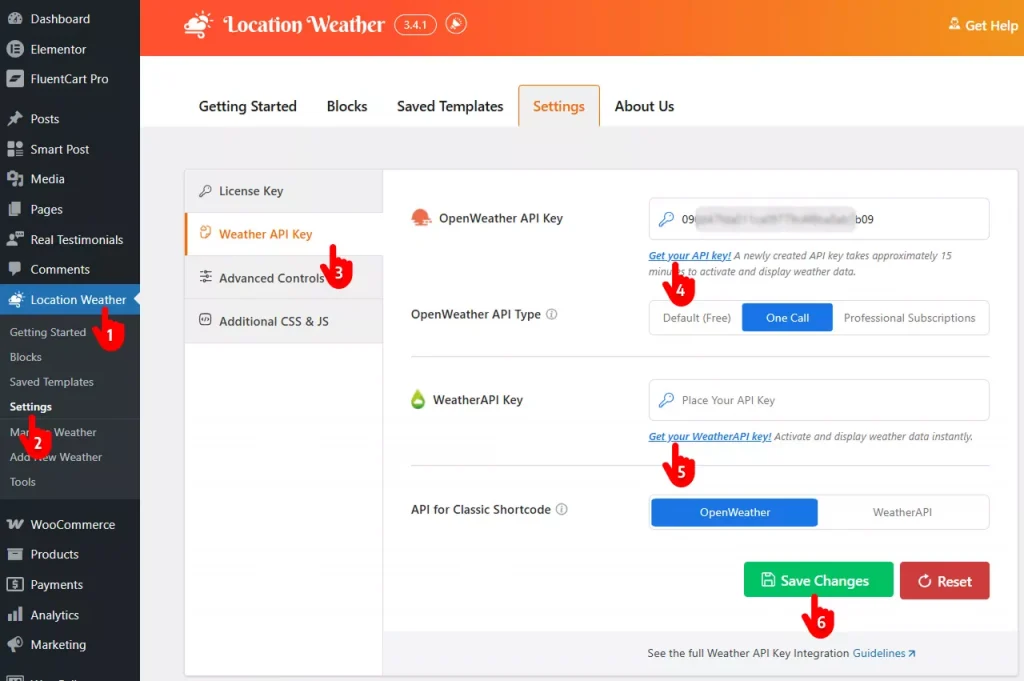
- Go to Location Weather from your WordPress dashboard sidebar.
- Click Settings
- Open the Weather API Key section.
- Click Get your API key to visit OpenWeather’s signup page.
Sign up, collect your api, and paste it into the OpenWeather API Key field. - You can also add an API key from the Weather API.
- Finally, click Save Changes.
Step 3: Choose an AQI Forecast Template
Follow the simple steps below to choose an AQI forecast template.
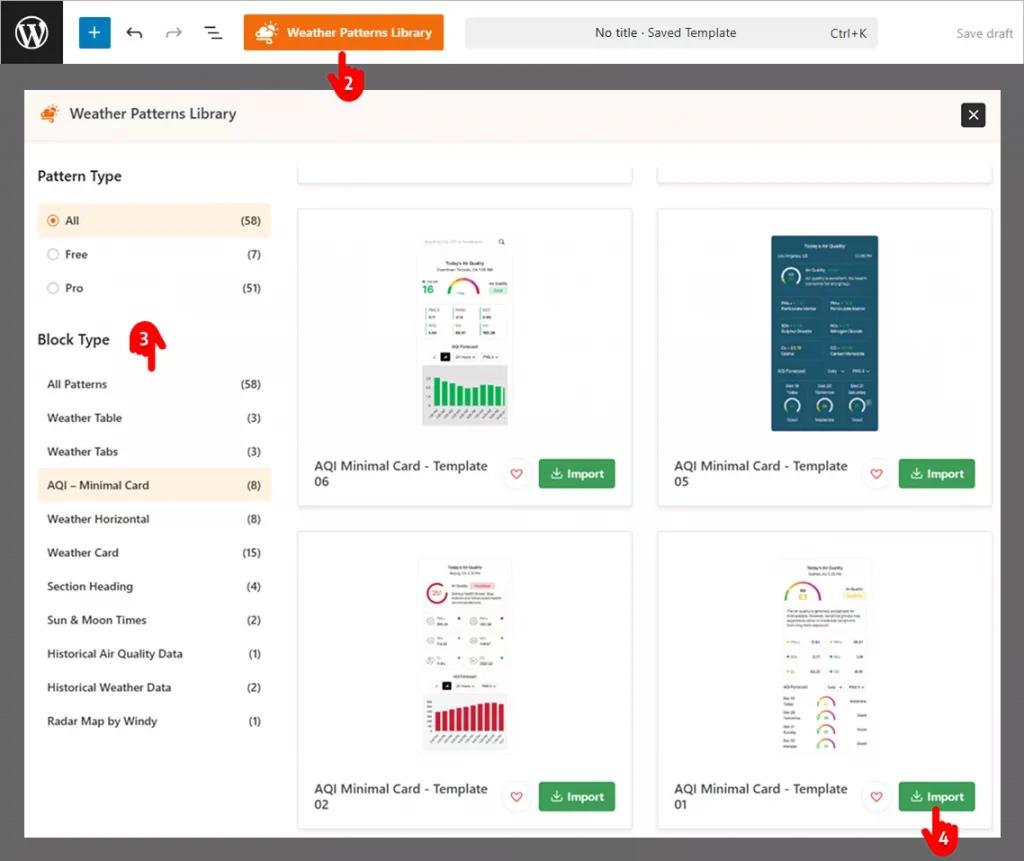
- First, go to where you want to publish your AQI forecast.
- Open the Weather Pattern Library.
- You can quickly find your desired pattern through the list.
- Click Import to add your selected weather pattern.
Step 4: Customize and Publish Your AQI Forecast
You have already imported the best and closest AQI to your requirements and expectations. Now it’s time to make it perfectly yours by setting your location and using your brand colors. No worries! Location weather offers total customization freedom. Follow the simple steps to customize your AQI Forecast display effortlessly.
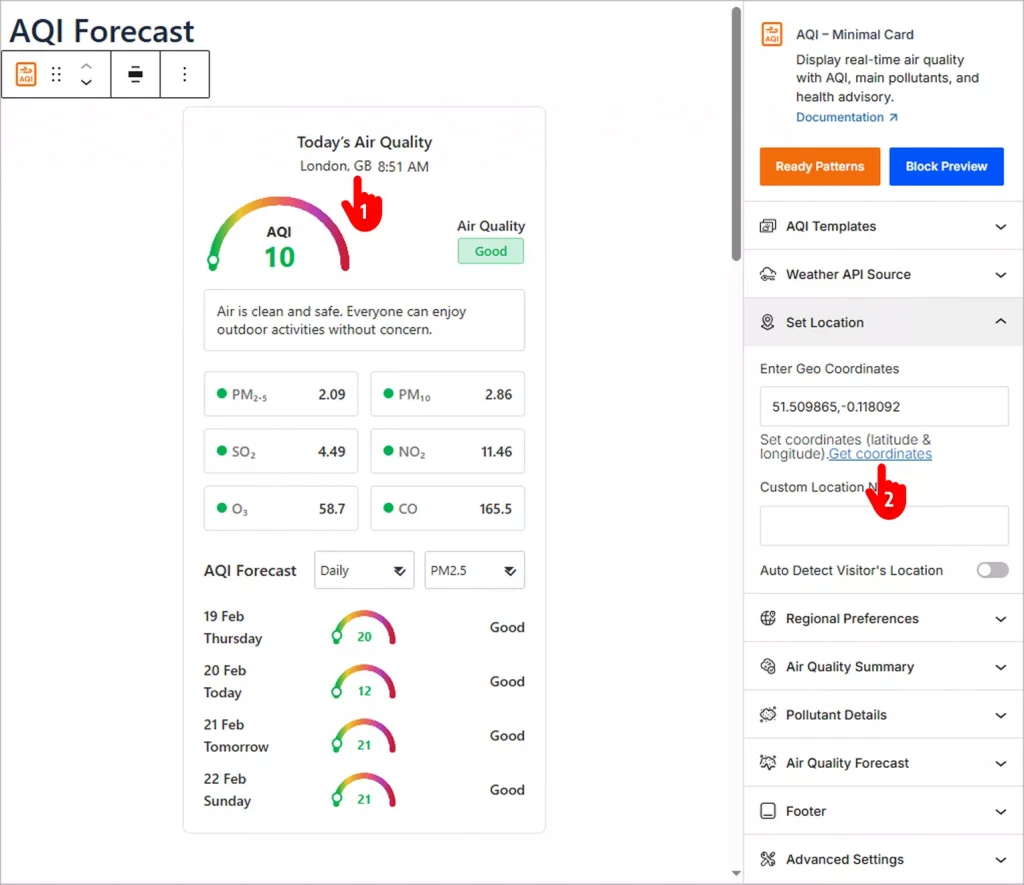
- Click the element you want to customize and find the customization panel in the right sidebar. For example, you may need to change the location of your. Click on the location name, London, GB, and go to the opened panel on the right sidebar. You can also navigate through the panels on the right sidebar.
- Get your location’s coordinates and paste them in the field.
- Location Weather offers a Style tab for many panels with necessary customization options. Explore and utilize them as per your requirements and preferences.
- When your customizations are done, hit the Publish/Update button.
This is what a basic AQI forecast looks like.
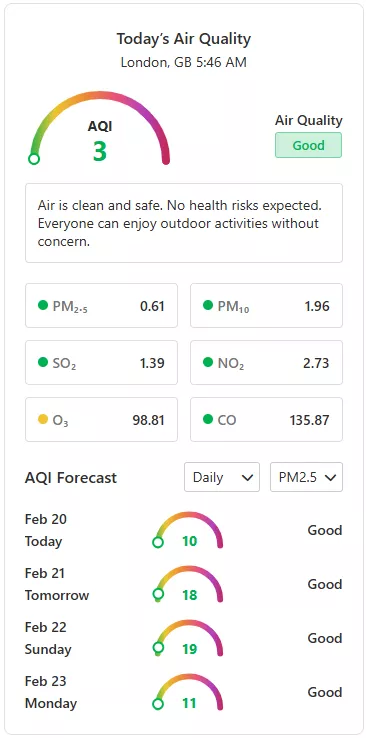
That’s said, you can make it even better with your creative power and Location Weather’s robust features.
So, let’s add a beautiful AQI forecast to your WordPress website today.


Leave a Reply